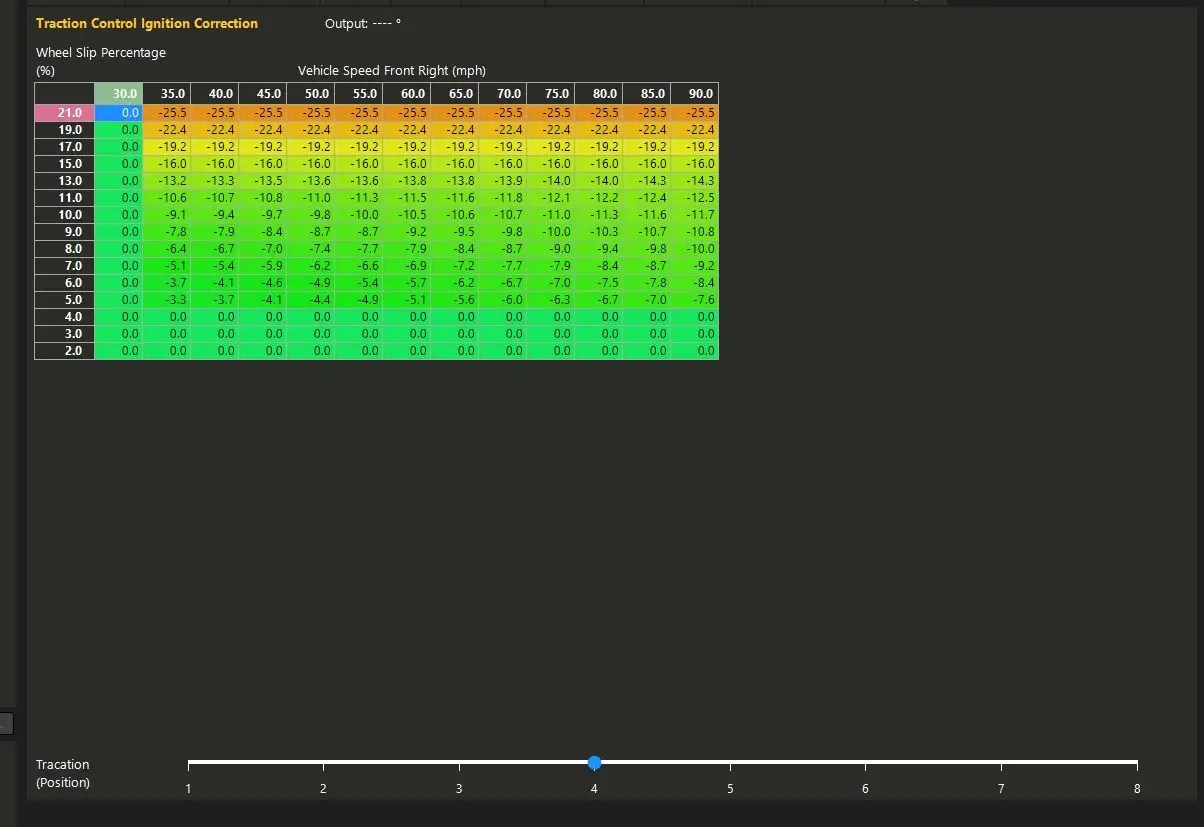
| "Certainly no getting bored with that collection!" Just to be 100% clear—not every car I posted there was mine. Almost nothing worse than people on the internet pretending to live a life they don't... which is sadly most of what the internet and social media has turned into. But thanks... I'm really happy with the current lineup and feel like each build gets me better prepped for the next one. Now specifically onto your traction control setup interest. I was fortunate enough to live in Lexington, KY where Haltech USA was first based, and I used to know a lot of the guys that worked there. So I was able to provide feedback on the traction system and even tried out some beta versions of it on the Elite. For the most part it was awful and felt like an afterthought. Justin had a RaceLogic on his Z, and up until very recently I thought it was the superior option—super simple to use and just flawlessly works. Haltech is now better in my opinion. For 99% of applications you just need to tag a front and rear wheel speed sensor and then set up the logic. This is how it makes the most sense to me to run it on my cars: I run two trim pots The first controls boost and ignition timing. The second controls the degree of traction control. You wouldn't have to run the different knobs to adjust resolution....but I like being able to scale power and traction up and down real time based on driving conditions and my mood. I’ve built out 8 versions of each. Here’s an example using just cylinder kill and ignition retard based on slip, with adjustments by MPH so I can make it more or less sensitive at different speeds. 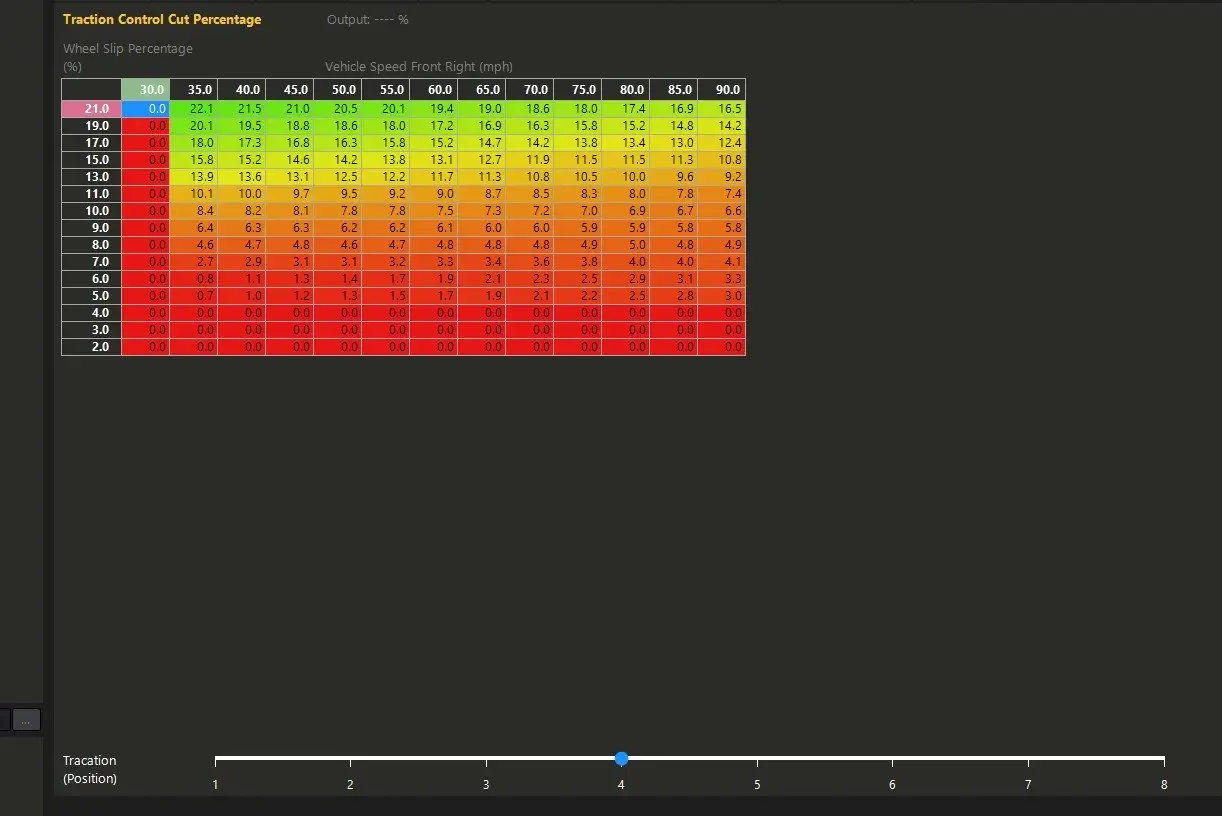
Here’s a datalog showing the system intervening during a traction loss event. It happens so smoothly that, from the driver’s seat, you don’t even notice—it just feels fast and secure 
The logic is speed vs slip percentage and then the data in the table is the amount of intervention at any given point. Super simple. I also like that I can specify slip based on MPH—20% slip at 30 MPH, no biggie... 20% at 100 MPH, terrifying. If you end up having any questions on yours or want me to look over logs to help dial in, feel free to shoot me an email. Hope this helps!
|


 11:00:41 01/10/26

